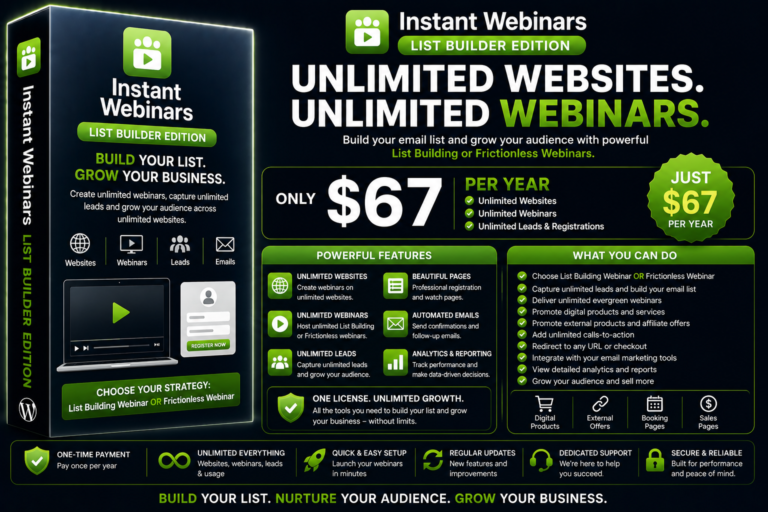
Instant Webinars List Builder Unlimited
Instant Webinars List Building Edition allows you to create unlimited List Building and Frictionless webinars to promote your digital products, services or…
$67.00
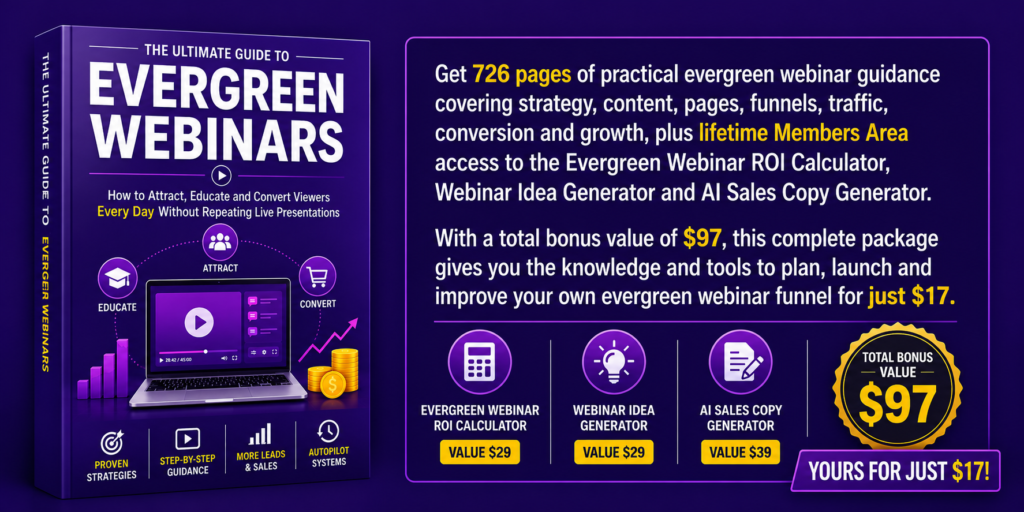
Get 726 pages of practical evergreen webinar guidance covering strategy, content, pages, funnels, traffic, conversion and growth, plus lifetime Members Area access to the Evergreen Webinar ROI Calculator, Webinar Idea Generator and AI Sales Copy Generator. With a total bonus value of $97, this complete package gives you the knowledge and tools to plan, launch and improve your own evergreen webinar funnel for just $17.
Evergreen webinars allow you to teach, build trust and present your offer without hosting the same live presentation every week.
But recording a video and placing it on a page is not enough.
You need the right topic, a clear promise, a presentation people want to watch, a focused page, a relevant offer and a reliable way to measure what viewers do.
The Ultimate Guide to Evergreen Webinars shows you how every part fits together.
This practical guide takes you through the complete process of creating an evergreen webinar system, from choosing the right model and writing the presentation to building the funnel, attracting traffic and improving conversion.
Live webinars can work, but they also require you to be available at a specific time, repeat the same presentation and manage registrations, reminders and attendance for every event.
Even interested people may miss the session because the timing does not suit them.
An evergreen webinar removes that limitation.
Viewers can access your presentation when they are ready, while your funnel continues delivering the teaching, presenting your offer and collecting useful performance data.
This guide shows you how to build that experience honestly, without pretending that a recorded presentation is live.
Not every evergreen webinar should use the same funnel.
Inside the guide, you will learn how to choose between three main models.
Allow visitors to begin watching immediately without completing a registration form or payment.
This model is ideal when you want to remove the first barrier, reach cold audiences and let the webinar earn the viewer’s details later through downloads, questions, bookings or offers.
Ask visitors to register before watching so you can connect individual viewing behaviour with an identifiable contact.
This model allows you to recover non-starters, follow up with partial viewers and send more relevant emails based on how deeply someone watched.
Turn a focused presentation into an accessible paid product priced at $3, $5 or $7.
This model can help you acquire customers, validate demand, recover advertising costs and introduce relevant order bumps, upsells and further offers.
The guide explains how each model works, what it is best suited for and how to build the complete customer journey.
Discover how evergreen webinars differ from traditional live sessions, why they are easier to scale and how to create a genuine on-demand experience without fake live countdowns or simulated attendance.
You will also learn how the Instant Webinars ecosystem brings pages, viewing tools, interactions and conversion features into one connected system.
Learn how to choose a strong topic and promise, balance education with promotion and structure a 30-to-60-minute presentation.
The guide also covers scripting, introducing your offer naturally, recording the presentation and making the webinar informative without turning it into a long sales pitch.
Compare popular webinar-funnel approaches using Systeme.io, ClickFunnels and WordPress.
You will see how separate tools can create unnecessary complexity, what to consider before selecting a platform and why Instant Webinars was created.
Learn how to build focused landing pages, write stronger headlines and use reviews, FAQs and creator authority to increase confidence.
You will also discover how to structure the watch page, create a high-converting VSL and use AI to support sales-video production without losing credibility.
See how to remove registration barriers and let visitors watch immediately.
You will learn how anonymous viewing works, how to convert anonymous viewers into leads and how polls, hello bars, popups, downloads, questions, bookings and timed offers can support conversion.
Learn how to build a registered webinar that connects contact details with individual watch behaviour.
The guide covers registration forms, lead magnets, watch-time tracking, viewer recovery, email follow-up, polls, quizzes, certificates, bookings and behaviour-based offers.
Discover how to turn a focused webinar into a paid product.
You will learn how to select a sellable topic, set a sensible $3–$7 price, write the sales page and build checkout and protected access.
The guide also covers $17–$27 order bumps, $97–$197 upsells, dynamic pricing, genuine urgency, affiliate promotion and the customer Members Area.
Learn how to match the traffic source with the webinar model and audience’s level of awareness.
The guide covers the Why–What–How advertising structure, Facebook, Instagram, retargeting, email, organic content and partner traffic.
You will also learn how to measure drop-off, source quality, device performance, attribution, conversion and revenue using GA4, Meta tracking, split testing and the Conversion Optimizer.
Explore evergreen webinar ideas for coaches, consultants, online music and creative teachers, SaaS businesses, professional services, training providers, local services, health and fitness, and education and certification.
You will also see how to build each main funnel model in one day and how to launch, maintain and expand your webinars into a connected long-term system.
This 726 page guide does not give you disconnected tactics and leave you to work out how they fit together.
It explains the complete journey:
Every stage supports the same objective: helping the right people receive useful teaching and take a relevant next step.
The guide also explains how Instant Webinars can support frictionless, list-building and paid webinar models inside WordPress.
Depending on the funnel you create, you can use features such as:
The guide shows where these features fit and why you might use them, rather than encouraging you to add everything to every webinar.
This guide is written for people who want to create a real evergreen webinar funnel, not study abstract webinar theory.
It is suitable for:
Whether your webinar leads towards a consultation, software product, course, membership, certification, service or paid workshop, the guide gives you a clear structure to follow.
Your evergreen webinar can continue attracting viewers while you work with clients, improve your products or focus on other parts of the business.
It can answer repeat questions, explain your approach, demonstrate your expertise and present the next step consistently.
The result is not a completely automated business that requires no attention.
It is a more efficient way to deliver your best repeatable teaching without hosting the same presentation again and again.
For $17, you will receive the complete guide covering the strategy, content, pages, funnels, traffic and optimisation behind evergreen webinars.
You will learn how to build:
Get instant access to The Ultimate Guide to Evergreen Webinars for $17.
No. The strategy and planning sections can help anyone creating an evergreen webinar. The guide also explains how Instant Webinars supports the complete funnel for people who want to build the system inside WordPress.
No. The guide begins with choosing your topic, promise and model before moving into scripting, recording, pages, traffic and conversion.
Yes. It includes a complete section on creating low-cost paid webinars priced at $3, $5 or $7, along with checkout, order bumps, upsells, affiliates, dynamic pricing and Members Area delivery.
Yes. You will learn how to use the Why–What–How structure and promote your webinar through Facebook, Instagram, retargeting, organic content, email, search and partners.
The guide explains the features, structure and decisions required to build the funnel. It focuses on helping you understand what to create, why each element matters and how the complete journey fits together.
The complete guide is available for a one-time payment of $17.
Stop piecing together conflicting advice from videos, articles and disconnected funnel tools.
Use one practical guide to understand the complete process from topic selection to traffic, viewing, conversion and growth.
Get The Ultimate Guide to Evergreen Webinars today for $17.
Your $17 purchase also includes lifetime Members Area access to three practical tools designed to help you plan, promote and measure your evergreen webinar funnel.
Estimate the commercial potential of your webinar before increasing your traffic or advertising spend.
Enter figures such as traffic costs, page conversion, webinar price, order bumps, upsells and later customer value. The calculator helps you estimate customer acquisition cost, average order value, break-even points and potential return.
Use it to compare different funnel scenarios and identify which improvements could have the greatest effect on revenue.
Turn your expertise, service or product into focused webinar ideas that suit your audience and commercial goal.
The generator helps you develop topics for frictionless, list-building and low-cost paid webinars. It can suggest audience problems, practical promises, learning outcomes and suitable next offers based on your chosen market.
Use it whenever you need help turning a broad subject into a webinar people will understand, watch and act on.
Create the essential copy needed to promote and sell your evergreen webinar.
The tool helps you produce headlines, subheadlines, benefit-led descriptions, learning outcomes, calls to action, offer copy, FAQs and promotional messages based on your webinar topic and funnel model.
Use the generated copy as a strong first draft, then adapt it with your own examples, experience and brand voice.
You receive lifetime Members Area access to:
Total bonus value: $97
These tools help you put the guide into practice by generating stronger webinar ideas, creating clearer sales copy and testing the commercial potential of your funnel from one convenient Members Area.
You receive the complete guide and all three lifetime-access bonuses today for just $17.
Instant Webinars List Building Edition allows you to create unlimited List Building and Frictionless webinars to promote your digital products, services or…
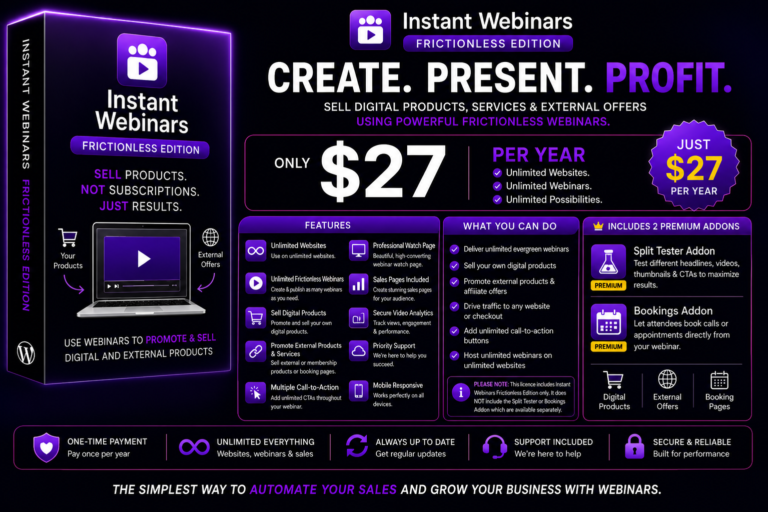
Instant Webinars Frictionless Edition lets you create unlimited frictionless webinars that educate, build trust and drive visitors to your products without requiring…